 LUNEVON

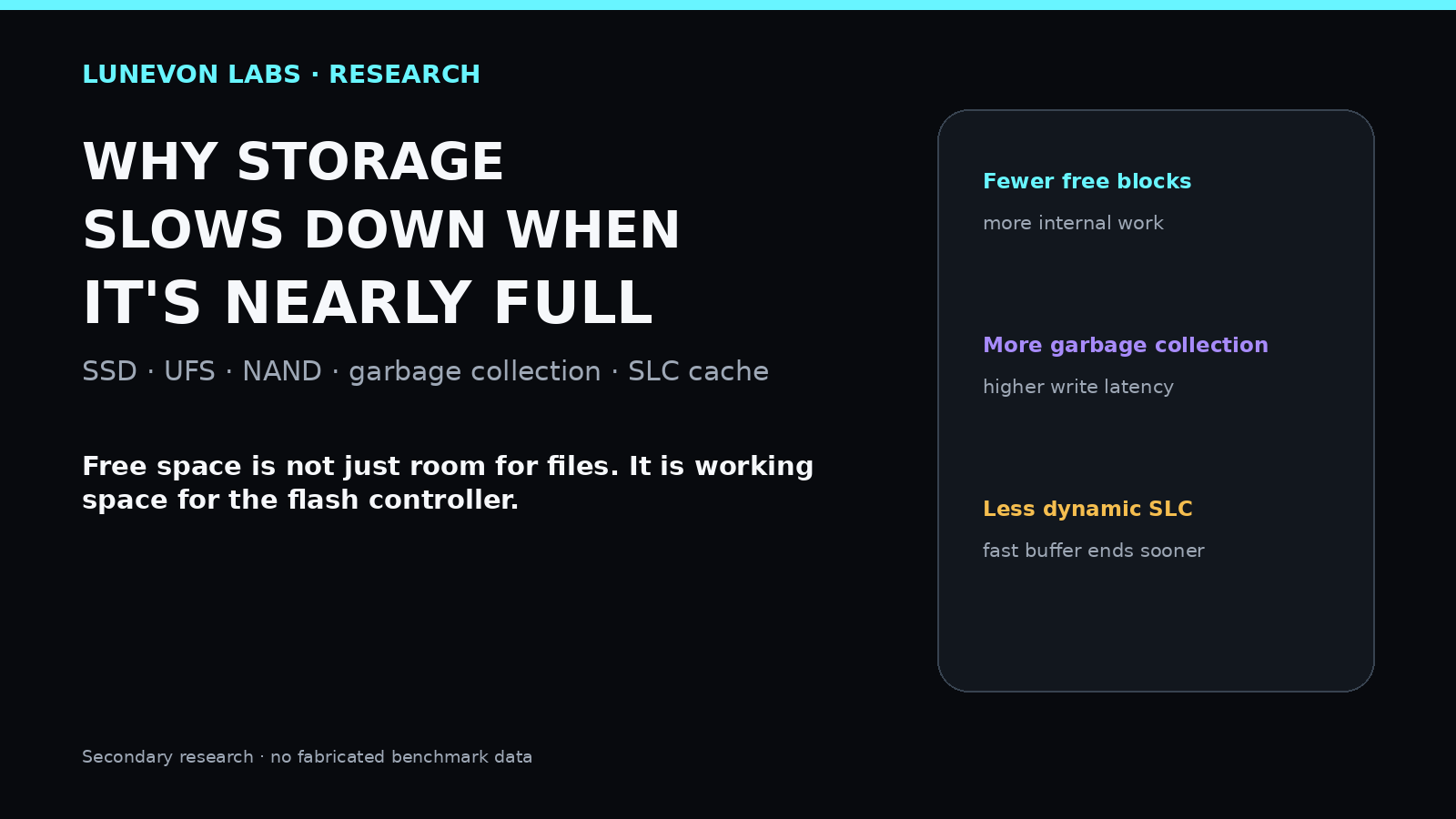
Free space in flash storage is not only room for the next file. It is also working space for the controller. As headroom disappears, writes become harder to place, garbage collection can become more aggressive, internal data movement can rise, and some drives lose part of their dynamic SLC cache. The effect is most visible in sustained write performance and latency.
LUNEVON LABS · Technical research
This is secondary technical research. We compared NAND/SSD vendor documentation with Linux F2FS documentation and Android Open Source Project code. The article contains no fabricated benchmark numbers and does not invent a universal “80% full” threshold.
The user-facing model of storage is simple: save a file and capacity is consumed; delete it and the space is free again. NAND flash is more complicated.
KIOXIA specifically examines garbage collection in eMMC and UFS with examples at 50% and 90% valid data. As the share of valid data rises, more data has to be moved to reclaim free blocks.
1. NAND cannot simply overwrite data like RAM
NAND stores data in pages grouped into larger blocks. Programming happens at page granularity, while erase happens at block granularity.
If a block contains obsolete and still-valid pages, the controller may need to:
- move valid pages elsewhere;
- erase the entire block;
- return the clean block to the free pool;
- continue new writes.

KIOXIA describes garbage collection as moving valid data and then erasing the old block so physical space can be reused.
2. The FTL sits between the OS and physical NAND
The operating system sees logical block addresses. Physical NAND has a different geometry.
The Flash Translation Layer (FTL) maps logical addresses to physical locations and lets the controller move data, distribute wear, retire bad blocks, perform garbage collection, and use spare physical capacity.
One logical host write therefore does not necessarily equal one physical NAND write.
3. Why free space matters to garbage collection
When data changes or is deleted, some physical pages become invalid. Logically they no longer matter, but the block still has to be reclaimed for future writes.
With many free blocks, the controller has more placement options and can perform more maintenance in the background.
With little free space, it has less room to maneuver.
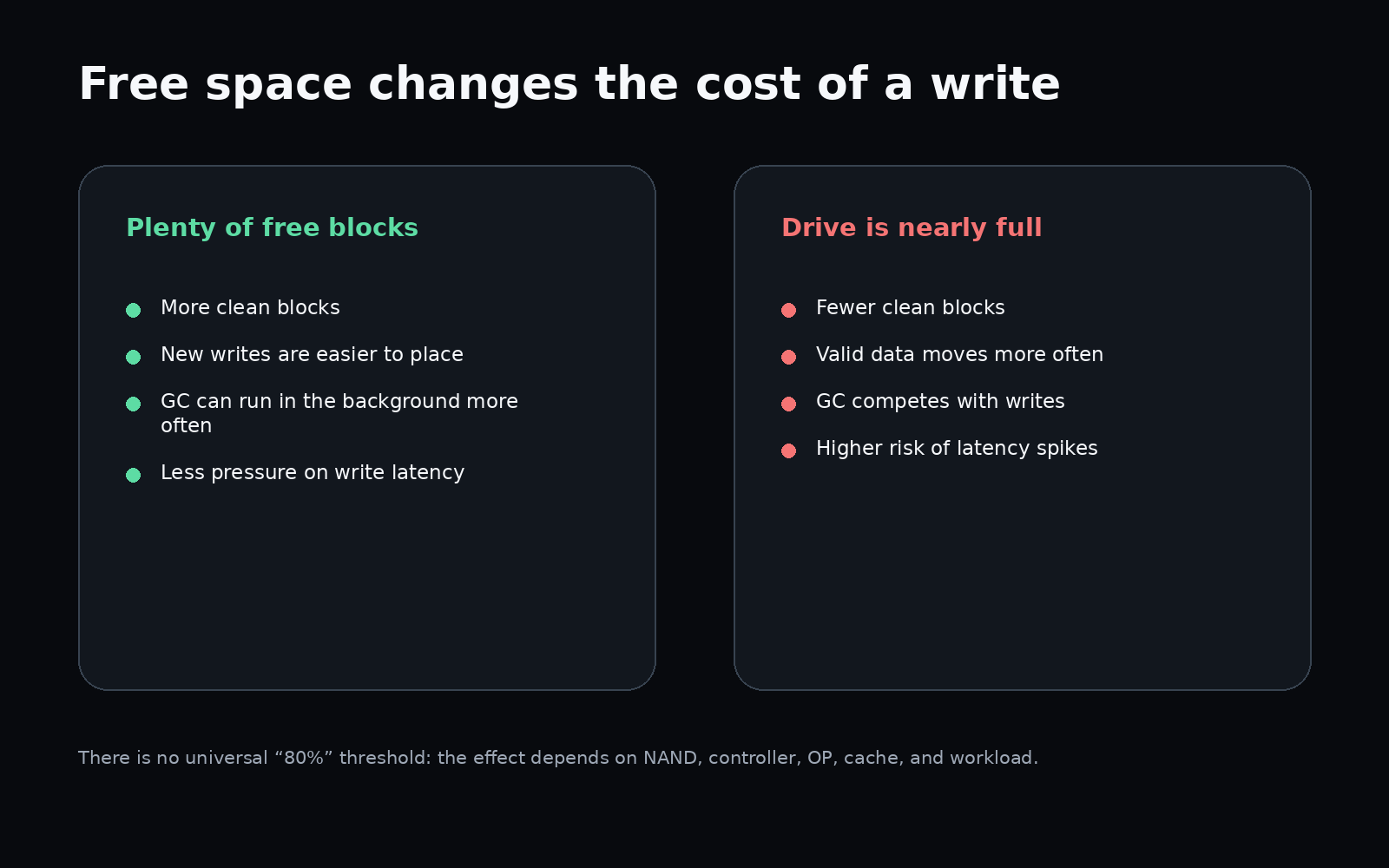
Linux F2FS documentation distinguishes background GC from foreground/on-demand GC. When free segments run short, cleanup can move onto the critical path of user requests, increasing latency.
4. Where write amplification comes from
If the host writes 100 MB, the device may physically write more than 100 MB because it first has to move existing valid data.
That leads to the Write Amplification Factor (WAF):
WAF = data physically written to NAND / data written by the host
An ideal WAF is close to 1. More internal movement pushes it higher.
KIOXIA and Micron connect garbage collection with write amplification and latency: internal I/O competes with host I/O and can increase latency.
The difficult combination is:
low free space + active writes + cleanup and data movement.
5. Over-provisioning: space the user does not see
SSDs normally contain NAND that is not exposed as ordinary user-addressable capacity.
This over-provisioned (OP) area gives the controller workspace for garbage collection, wear leveling, bad-block replacement, and temporary data movement.
Kingston describes OP as temporary controller workspace that helps preserve free blocks and avoid expensive read/erase/modify/write behavior under load.
A user-visible volume can therefore be nearly full without the controller literally having zero physical free blocks. But OP size and firmware strategy vary by model.
6. TRIM is information, not an instant cleanup button
When a file is deleted, the filesystem knows the corresponding logical ranges are no longer needed. The controller also needs that information.
TRIM/discard tells the device which ranges can be treated as disposable. Firmware can then use that knowledge during internal cleanup.
Android implements this in real system code: AOSP StorageManagerService invokes fstrim, and idle maintenance includes GC and fstrim. F2FS also supports discard/TRIM during segment cleaning.
TRIM does not mean every physical block is erased immediately. It primarily communicates which data no longer has to be preserved.
7. Why deleting 50 GB may not restore peak speed instantly
The filesystem can expose the newly free capacity immediately.
Internally, the device may still need time to process TRIM, complete garbage collection, move valid data, rebuild a clean-block pool, drain caches, and finish background maintenance.
So performance not returning instantly after a large deletion does not by itself indicate a fault.
8. SLC cache creates a second slowdown mechanism
Many TLC- and QLC-based SSDs use part of their NAND temporarily in a faster SLC-like mode.
application → fast SLC buffer → main TLC/QLC NAND
Samsung TurboWrite first accepts writes into a high-performance SLC buffer and later moves the data into the main NAND region.
On some SSDs this cache is dynamic: it uses available free NAND and shrinks as the drive fills. Solidigm explicitly states that cache space shrinks as an SSD fills to make room for files.
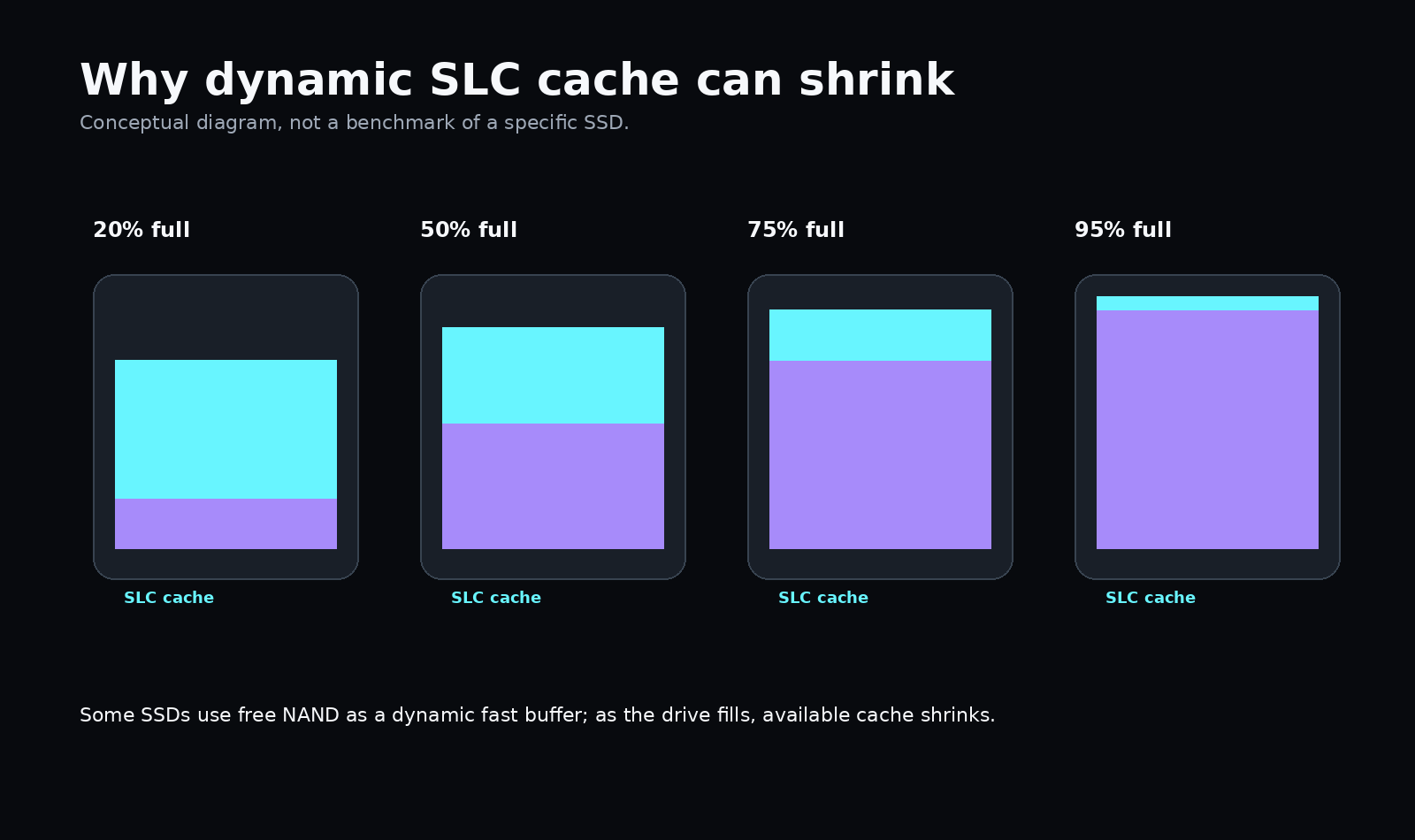
A fuller SSD can therefore slow down through two separate mechanisms:
- less comfortable room for garbage collection;
- less dynamic fast-cache capacity.
9. Why PC SSDs and smartphone UFS belong in the same discussion
They are not identical. PCs usually use NVMe/SATA SSDs; smartphones use managed UFS or eMMC.
Interfaces, controllers, firmware, power budgets, and filesystems differ. But the underlying management problem is related: NAND plus a controller that maps logical data, reclaims blocks, manages wear, and maintains free space.
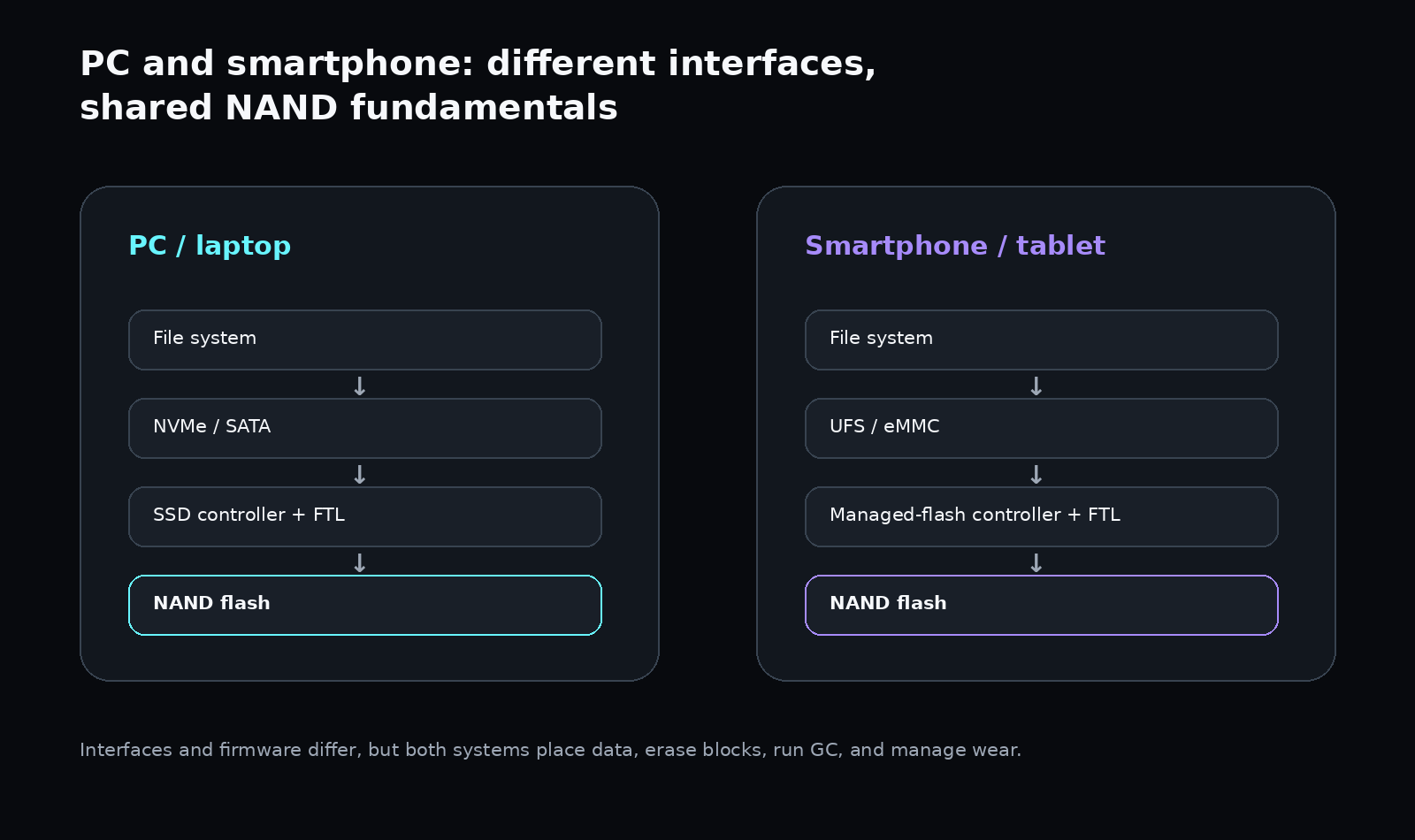
KIOXIA publishes garbage-collection material specifically for eMMC/UFS, making this comparison valid at the managed-NAND level.
10. Phones add another problem: the OS itself needs space
A nearly full phone can feel slower for reasons beyond flash internals.
The OS and applications continuously need storage for temporary files, databases, logs, update staging, caches, media processing, app installation, and filesystem metadata.
So “my phone became slow at 99% full” can combine two effects:
- the controller has less comfortable room to maintain NAND;
- applications and the OS are genuinely starved for filesystem space.
11. Read performance can stay fine while writes suffer
Reading an existing file mostly requires locating and reading already-placed data.
Writing may require finding usable space, cleaning blocks, moving valid pages, updating the FTL, wear leveling, and SLC-cache management.
That is why fullness often shows up more strongly in sustained writes, random writes, and latency than in sequential reads.
12. There is no magical “80% full” threshold
Behavior depends on NAND type, controller design, firmware, over-provisioning, SLC cache, drive capacity, temperature, TRIM/discard, and workload.
One device may show degradation earlier, another later, and another may remain acceptable near full capacity in ordinary use.
The practical LUNEVON LABS rule is:
do not keep flash storage permanently in a state where free space is almost exhausted.
That is not a magic percentage. It is operating headroom for both the storage controller and the OS.
13. Why benchmarks on empty SSDs can be optimistic
A mostly empty SSD has favorable conditions: abundant free space, more available dynamic cache, less GC pressure, and easier write placement.
A short synthetic benchmark can also fit entirely inside the SLC cache.
Real use can be different: the drive is already filled, writes last longer than the cache, other I/O runs in parallel, temperature rises, and GC has to operate during the workload.
Peak specification and sustained performance of a nearly full drive are therefore different measurements.
14. A slow nearly full SSD is not automatically failing
Fullness is only one factor. Severe slowdown can also come from thermal throttling, NAND wear, firmware issues, background updates, encryption, antivirus, low RAM with heavy swapping, or filesystem problems.
Fullness is a factor, not a diagnosis.
LUNEVON LABS conclusion
After comparing SSD and managed-flash documentation with Linux and Android behavior, the central finding is:
free space in NAND storage is a working resource for the storage system.
With comfortable headroom, the controller has more options for write placement, clean-block management, background garbage collection, and dynamic caching.
With little headroom:
- GC pressure can rise;
- valid data may need to move more often;
- write amplification can increase;
- write latency can rise;
- some SSDs lose dynamic SLC-cache capacity;
- smartphones additionally face OS-level filesystem-space pressure.
A nearly full SSD or phone does not slow down because a vendor flips an artificial “slow mode.” The behavior follows from NAND flash itself and from the storage stack built around it.
Free space is not just room for the next file. It is room for the storage system to work efficiently.
Research method
Type: secondary technical research / engineering synthesis.
LUNEVON LABS compared material from KIOXIA, Kingston, Samsung, Solidigm, and Micron with Linux F2FS documentation and Android Open Source Project code.
This article contains no original LUNEVON LABS storage benchmark measurements and no fabricated MB/s, IOPS, WAF, or latency values. The infographics are conceptual explanations.
Sources
- KIOXIA — Managing Garbage Collection Operations Efficiently to Improve e-MMC and UFS Device Performance
- KIOXIA — Understanding Garbage Collection in NAND Flash Memory
- Linux Kernel Documentation — Flash-Friendly File System (F2FS)
- KIOXIA — Flexible Data Placement / Write Amplification
- Micron — Enhancing storage resiliency through FDP and Latency Monitor
- Kingston — SSD Over-provisioning (OP)
- Android Open Source Project —
StorageManagerService.java - Samsung — TurboWrite Technology White Paper
- Solidigm — Synergy / Dynamic Caching