 LUNEVON

You can identify the processor in an Android phone from the exact device model, the manufacturer's official specifications, or system information reported by Android. On newer Android versions, apps can also read the primary SoC model and manufacturer through Build.SOC_MODEL and Build.SOC_MANUFACTURER.
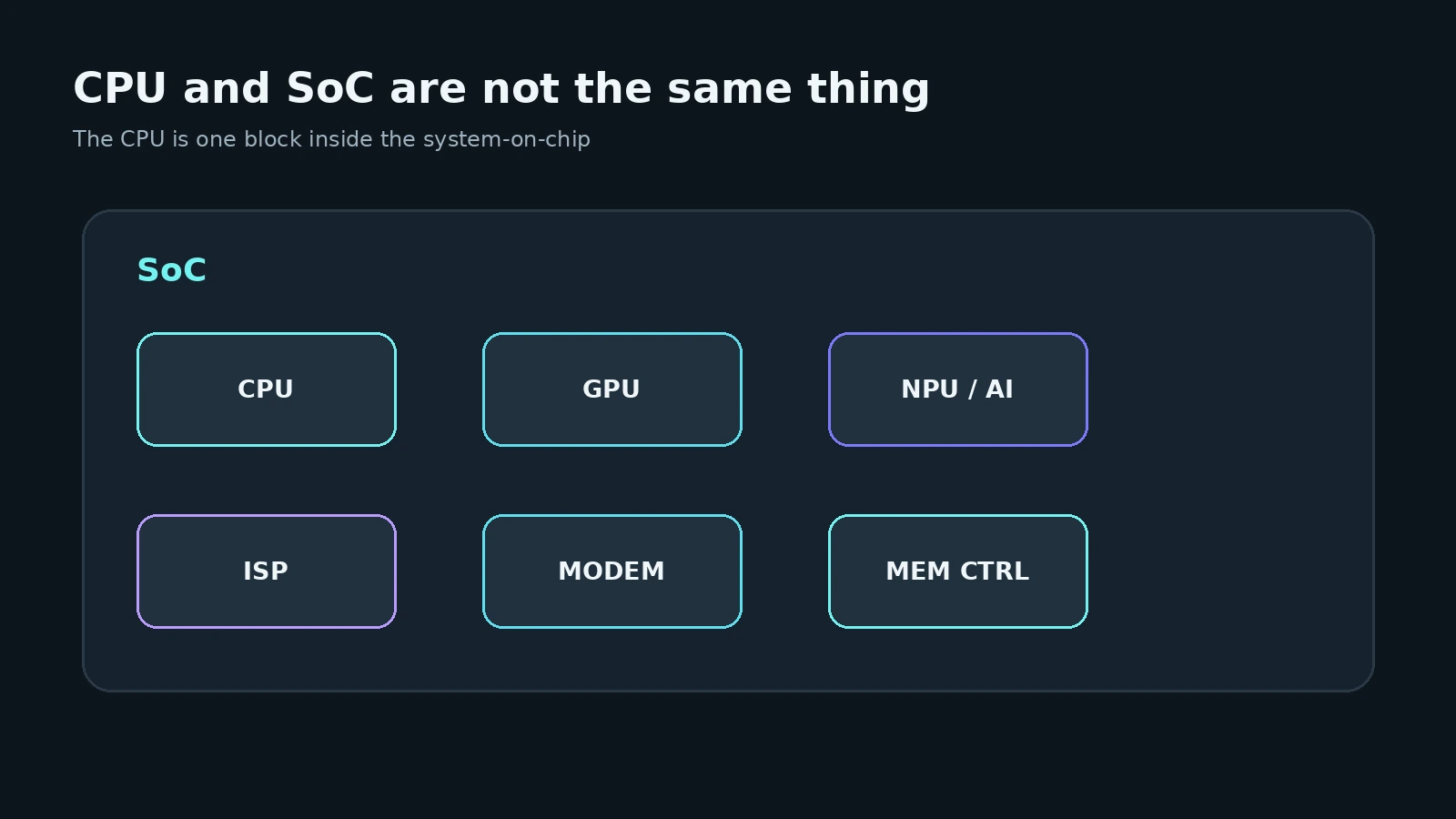
Strictly speaking, the part most people want to identify is the SoC — System-on-Chip. Names such as Snapdragon, Dimensity, Exynos, Tensor, and Unisoc normally refer to the complete system chip, while the CPU is only one component inside it.
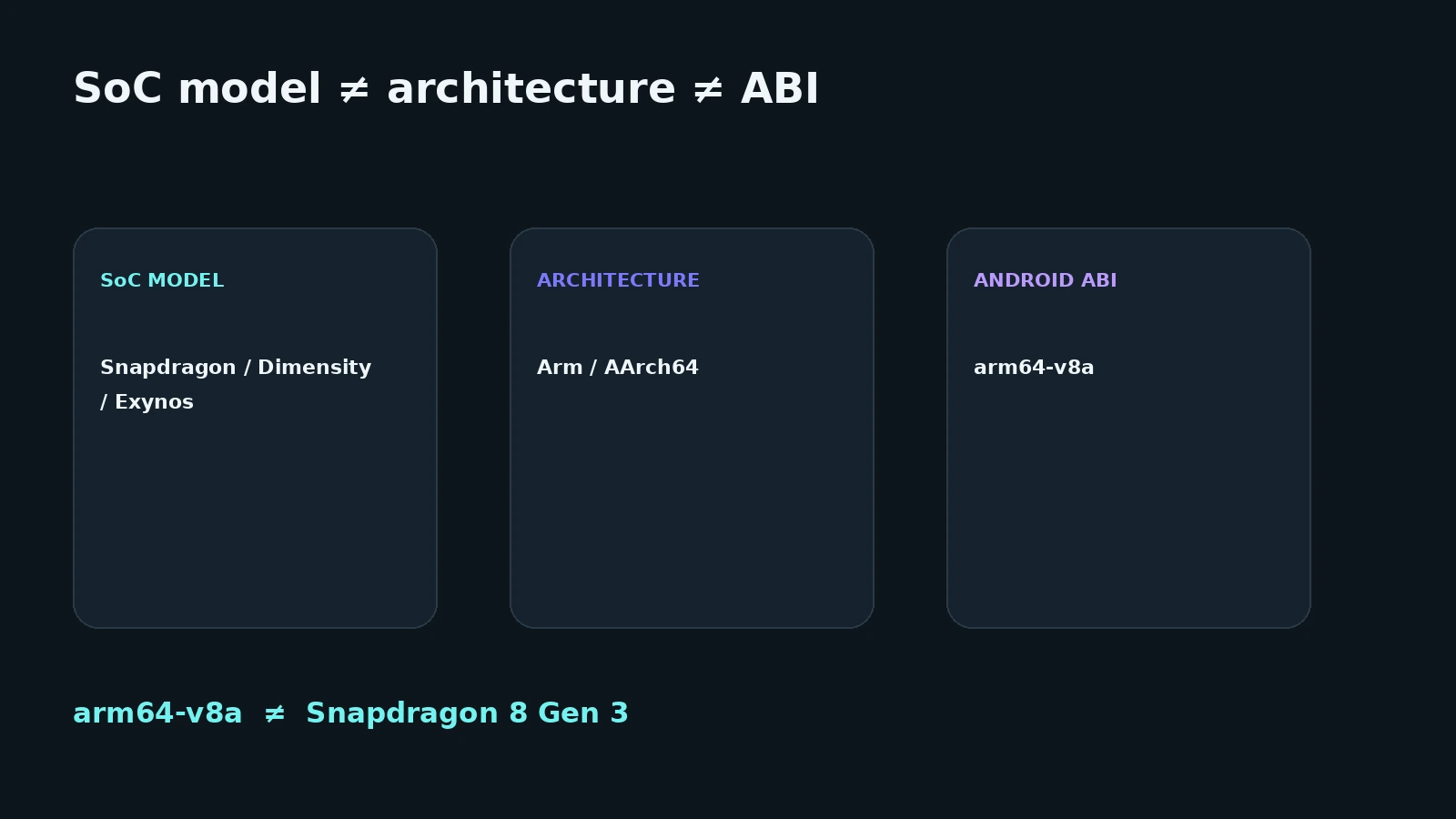
It is also important to keep the SoC model, CPU architecture, and Android ABI separate. arm64-v8a, for example, identifies a 64-bit Arm ABI supported by Android; it does not tell you which Snapdragon, Dimensity, or Exynos chip is installed.
| What you want to identify | Example | What it means |
|---|---|---|
| SoC | Snapdragon 8 Gen 3 | complete system chip |
| CPU | Cortex-X4 / A720 / A520 | CPU cores inside the SoC |
| SoC manufacturer | Qualcomm | company behind the SoC |
| Architecture | Arm / AArch64 | CPU architecture family |
| Android ABI | arm64-v8a |
ABI for native Android code |
| Core count | 8 | number of CPU cores |
The quickest ways to check your phone processor
There are four practical approaches.
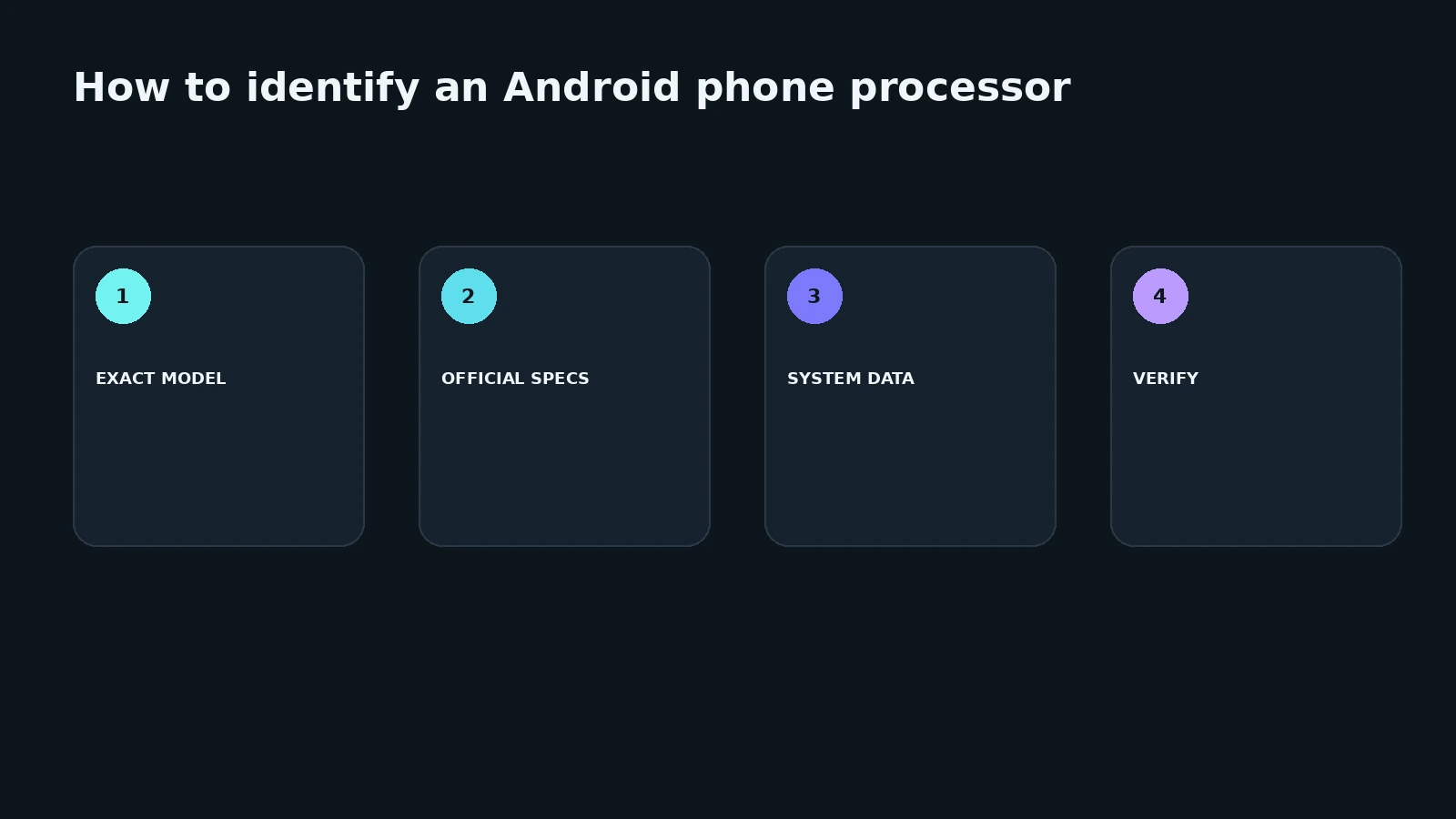
1. Check About phone. Some manufacturers display the processor or chipset directly in device information. This is not universal, and the available fields vary by firmware.
2. Find the exact model number and check the official specification. This is one of the most reliable methods, particularly when a phone name exists in multiple hardware variants.
3. Use a system-information app. It can display Android SoC fields, hardware identifiers, supported ABIs, CPU core information, and other available properties.
4. Read Android system data. Starting with API level 31, Android exposes Build.SOC_MODEL and Build.SOC_MANUFACTURER for the primary system-on-chip.
For a simple “what processor is in this phone?” question, the exact model or reliable system information is usually enough.
Why Android settings do not always show the processor
The About phone screen is not a standardized hardware-specification page. Depending on the manufacturer, it can show the device model, Android version, memory, storage, serial information, and sometimes the processor.
The manufacturer decides which fields appear in the UI, so Settings → About phone → Processor cannot be treated as a universal Android path.
A missing processor field does not mean Android has no hardware information. The android.os.Build class exposes several hardware properties and, from API level 31 onward, dedicated SoC model and manufacturer fields.
How to identify the processor from the exact phone model
If Android does not show the processor directly, start with the full model number.
A commercial name is not always enough because a phone family can have regional, carrier, or hardware revisions.
A practical sequence is:
- open About phone;
- find the full model number;
- open the official page for that exact version;
- find the chipset, processor, or SoC specification;
- compare it with system information if necessary.
On Samsung phones, for example, the model number is available in About phone. When checking hardware specifications, the full model number is more reliable than the family name alone.
How Android exposes the SoC model
Build.SOC_MODEL
Contains the model name of the device's primary system-on-chip. It was added in API level 31.
Build.SOC_MANUFACTURER
Reports the manufacturer of the primary SoC and was also added in API level 31.
Starting with API level 31, Android provides dedicated system fields for the primary SoC model and manufacturer. Diagnostic apps can still display different wording: one may show the raw system string while another maps a hardware identifier to a normalized marketing name.
Older Android versions often require tools to rely on more general hardware properties or lookup databases.
What is a SoC, and how is it different from the CPU?
CPU — Central Processing Unit — is the general-purpose processing part of the system.
SoC — System-on-Chip — is a larger integrated chip that can contain:
- CPU;
- GPU;
- NPU and AI accelerators;
- camera ISP;
- modem and connectivity blocks;
- video engines;
- memory controllers;
- security subsystems;
- other specialized hardware.
So when somebody says “this phone has a Snapdragon processor,” they are normally referring to the Snapdragon SoC, not only to its CPU cores.
Using “processor” this way is normal in everyday language, but the distinction matters when reading detailed hardware information.
How to check how many CPU cores a phone has
A mobile CPU normally contains multiple cores, and those cores do not have to be identical.
An illustrative layout could be 1 high-performance + 3 performance + 4 efficiency cores. This is only an example of a clustered design, not a description of every eight-core chip.
Core count can be checked in the official SoC specification, phone specifications, or a system-information app.
But eight cores are not automatically faster than six cores. Performance also depends on microarchitecture, core generation, clocks, cache, memory, thermal and power limits, software, and many other factors.
How to check the CPU architecture
Most current Android phones use Arm-family CPU architectures. Here, CPU architecture and the Android ABI should not be treated as the same thing.
ABI means Application Binary Interface. Android exposes Build.SUPPORTED_ABIS, an ordered list of ABIs supported by the device. This API has existed since API level 21.
arm64-v8a
An Android ABI for 64-bit Arm CPUs, using AArch64.
armeabi-v7a
An ABI for 32-bit Arm CPUs.
Android also supports x86 and x86_64, although Arm is far more common in current consumer phones.
SoC model, architecture, and ABI are different things
A SoC model, such as Snapdragon 8 Gen 3, identifies a specific system chip.
An architecture, such as Arm / AArch64, describes the CPU architecture family.
An ABI, such as arm64-v8a, describes the interface used by native Android code.
Therefore arm64-v8a does not mean Snapdragon 8 Gen 3. Many different Qualcomm, MediaTek, Samsung, Google, and other SoCs can support the same ABI.
How to tell whether a phone is 32-bit or 64-bit
“64-bit phone” can refer to several related but distinct properties:
- CPU hardware capabilities;
- Android system bitness;
- ABIs supported by the system;
- the ABI used by a particular app.
Android provides separate SUPPORTED_32_BIT_ABIS and SUPPORTED_64_BIT_ABIS arrays, both available since API level 21.
If the system reports arm64-v8a, it supports a 64-bit Arm ABI. That still does not identify the processor model.
How to check the processor in a Samsung Galaxy phone
For Samsung devices, start with the exact model number.
It is normally available under Settings → About phone or the equivalent screen in the installed One UI version.
Then:
- record the complete model number;
- find the official specification for that version;
- check the listed chipset or processor;
- compare it with system information if needed.
Avoid rules such as “Samsung always uses Exynos in one country and Snapdragon in another.” Hardware allocation changes across generations, product lines, and individual variants.
Xiaomi, Redmi, Honor, Realme, and other Android phones
The method is essentially the same: exact model → official specification → Android system information.
What changes between manufacturers is mainly the UI and how much hardware information appears in Settings. If About phone only shows a commercial name and you need to distinguish hardware variants, use the full model number.
Why different apps may show different processor names
A difference in the displayed name does not automatically mean one app is wrong.
Common reasons include:
- the system name and marketing name differ;
- apps use different Android properties;
- one tool maps a hardware identifier through an internal database;
- a lookup database is outdated;
- the phone has a different hardware revision.
A string mismatch by itself is not evidence that the phone is counterfeit.
When in doubt, compare exact model number → official specification → Android system information.
How to check other phone specifications
The processor is only one part of a phone's hardware profile. RAM, display, Android version, sensors, and other device characteristics are better covered by a broader guide such as “How to check Android phone specifications.”
For battery information, see the LUNEVON guide “How to check your Android phone battery: health, wear, capacity, and temperature.”
Identifying the processor and finding apps currently loading the CPU are different tasks; CPU-usage diagnostics should be treated separately.
FAQ
How can I find the exact processor model in my phone?
Find the exact model number and check the manufacturer's official specification, or inspect the SoC through system information. Android API 31+ also exposes Build.SOC_MODEL.
Where can I see the processor in Android?
Some manufacturers show it in About phone, but there is no universal processor field in every Android settings interface. If it is missing, use the exact model or system information.
Why does Android not show the processor model in Settings?
The manufacturer decides what appears on the About phone screen. A missing UI field does not mean all SoC information is unavailable to the system.
What is a SoC in a phone?
SoC means System-on-Chip. It combines the CPU with blocks such as the GPU, NPU, camera ISP, controllers, connectivity hardware, and other components.
How can I find the CPU core count?
Check the official SoC specification or system information. Core count alone should not be used as a performance rating.
How do I know whether the phone is Arm or ARM64?
Check the supported Android ABIs. arm64-v8a is a 64-bit Arm ABI, while armeabi-v7a is a 32-bit Arm ABI.
What does arm64-v8a mean?
It is an Android ABI for 64-bit Arm CPUs. It is not a processor model or a specific SoC name.
Why do two apps show different processor names?
They may use different sources: the Android SoC field, a hardware identifier, or an internal lookup database. A wording difference does not automatically indicate a problem.
Can I identify the processor from the phone model alone?
Often yes, but use the exact model number rather than only the commercial name, especially when several regional or carrier variants exist.
Can an Android app read CPU temperature?
Not universally. Android includes HardwarePropertiesManager with CPU temperature queries, but access is restricted for ordinary apps and the platform may not expose the requested sensor. Any “CPU temperature” value should therefore be interpreted according to its actual data source.
Sources and documentation
Technical statements in this guide were checked against official documentation: